How it works
A menu bar scratchpad that slides in — you never leave the window
DockTXT is an always on top notepad for Mac. It does not join the pile of overlapping documents. It docks to an edge, hides to a tab, and comes back with ⌘⇧P.
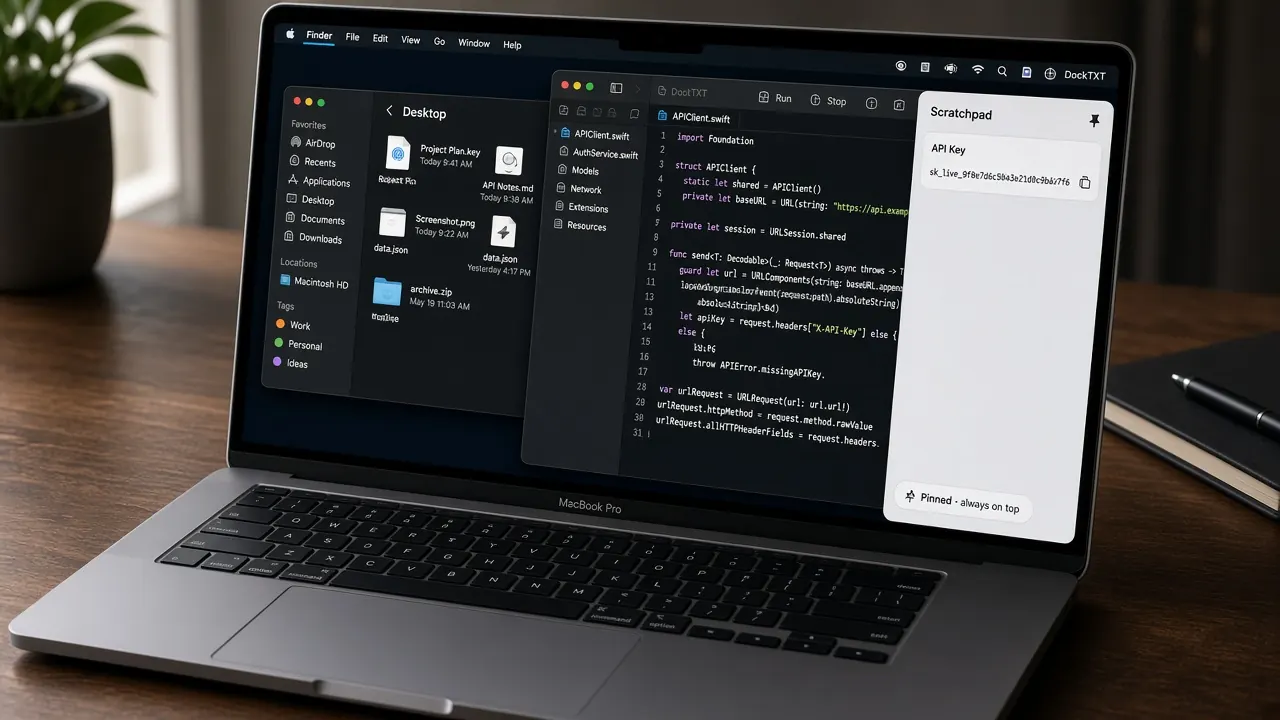
Edge-pinned drawer: work stays in the front window; the Mac scratchpad comes to you.
The loop
- 1.Launch DockTXT. A floating drawer slides in from the right edge (or the last edge you pinned).
- 2.Type or paste in Scratchpad. Text auto-saves locally — no iCloud and no Save command.
- 3.Hide with ⌘⇧P or the Hide control. A thin peek tab stays on the edge.
- 4.Click the peek tab or the menu bar extra to slide the floating notepad back in.
- 5.Open Diff when you need an exact character comparison of two strings.
Menu bar vs window
DockTXT keeps a Dock icon and a standard app menu so it is discoverable, and it also installs a menu bar extra. Use whichever path you remember: the menu bar text scratchpad menu, the app menu Open / Hide Drawer item, or ⌘⇧P.
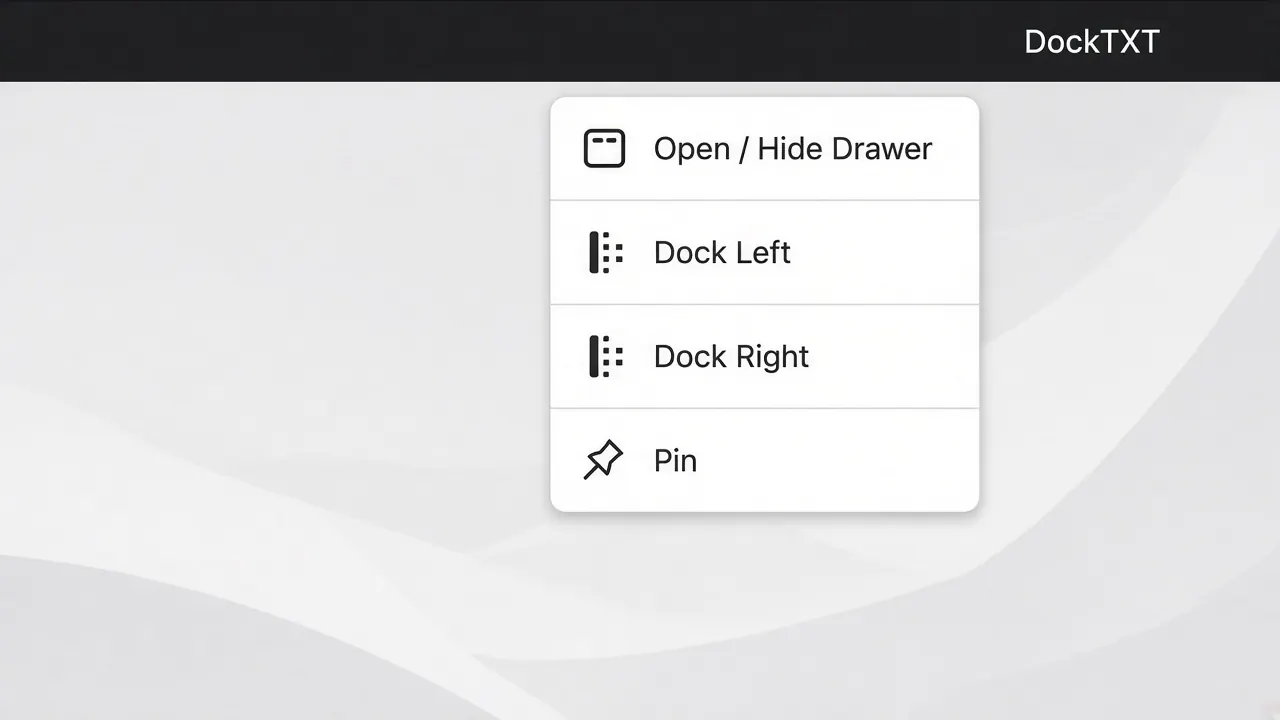
Menu bar extra: Open / Hide Drawer, dock edge, pin, support, quit.
Pin, unpin, and Spaces
Pin keeps the always-on-top notepad on every desktop Space (canJoinAllSpaces). Unpin moves it with the active Space. Dock Left and Dock Right snap the drawer to that edge and turn pin on. Center Vertically keeps the current size and recenters on the screen.
Get the free floating notepad
Get DockTXT free on the Mac App Store
See how it works
Read the 2-minute guide
100% free. No account. No subscription. No risk to try. Available on Mac now.
More DockTXT pages: features, how it works, user guide, FAQ, AI guide, support, and download. Portfolio: Our Apps. Questions? Contact page.