macOS utility · 100% free
Free floating notepad for Mac
An always on top notepad for Mac that pins to the screen edge. Slide in a Mac scratchpad from the menu bar, run an exact character diff, and never leave the window you are in. Free Mac floating notes — no account, no risk.
Get DockTXT free on the Mac App Store
See how it works
Read the 2-minute guide
100% free. No account. No subscription. No risk to try. Available on Mac now.
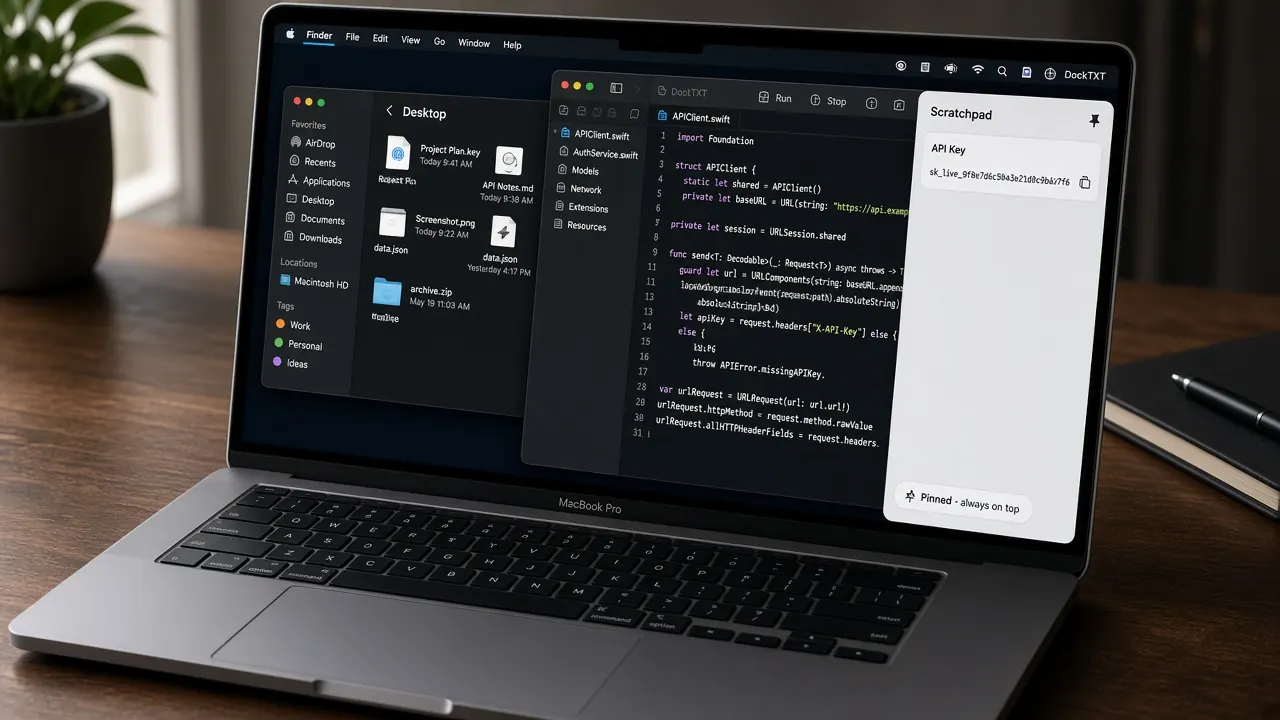
Built for how you actually work
Developers, writers, and marketers
DockTXT is a floating notepad for Mac — not another full-screen notes app. Keep the scratchpad on the edge of Xcode, a manuscript, or the ads editor.
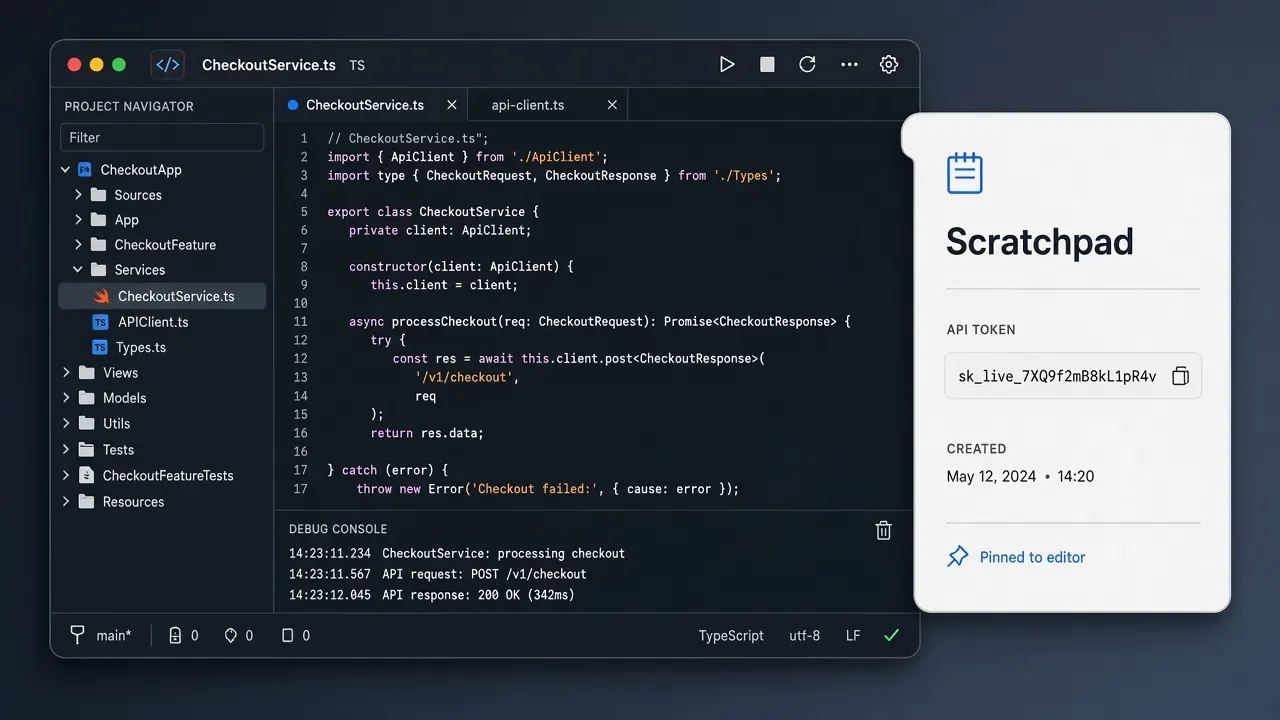
Stay in Xcode or Cursor
Developers
Scratch snippets, tokens, and diffs without opening another full window. DockTXT stays an always on top notepad for Mac while you keep coding.
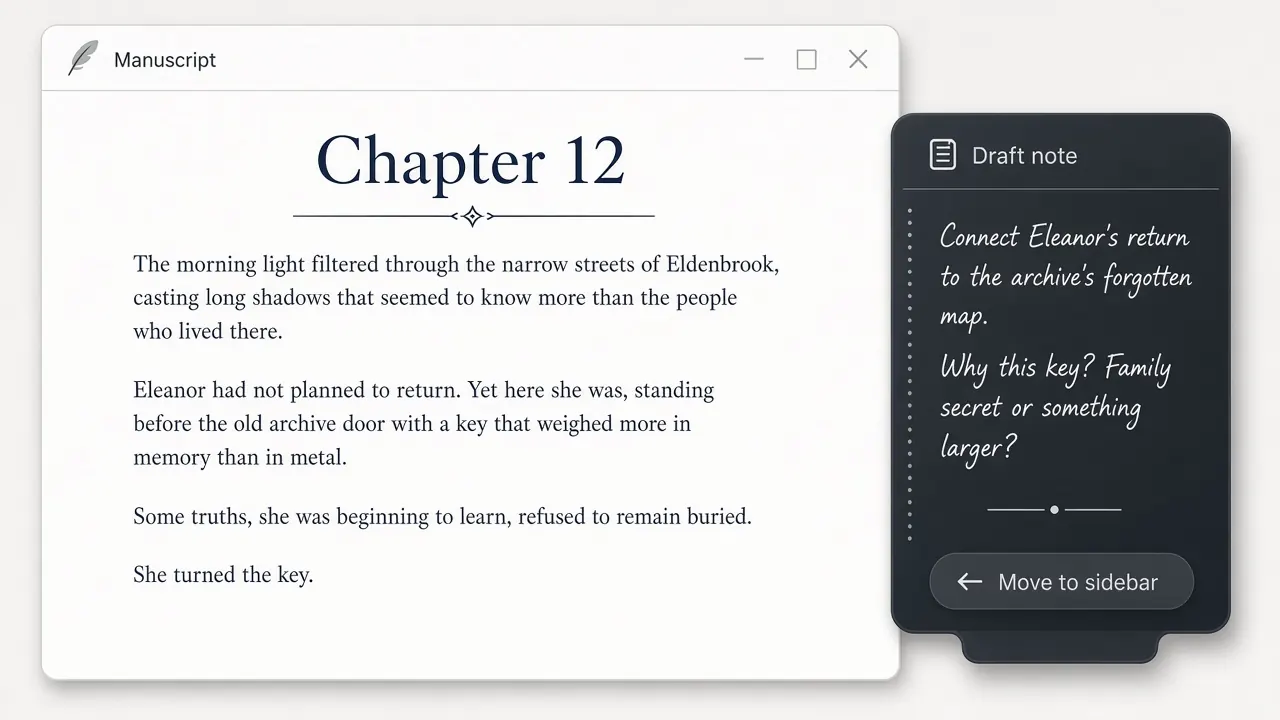
Draft, then hide
Writers
Keep always-on-top draft notes beside the manuscript. No iCloud novel app — just a menu bar text scratchpad you can toggle with a shortcut.

Briefs stay pinned
Marketers
Paste copy, keep campaign briefs in reach, and work in the browser or ads tools. The Mac scratchpad slides in; your current window never leaves the front.
Why people keep a Mac scratchpad on the edge
Always on top. One shortcut away.
Native SwiftUI and AppKit keep the memory footprint near zero. It is free Mac floating notes — pin it, hide it, diff it.
Always-on-top floating notepad
DockTXT lives above full-screen apps and across desktop Spaces. Pin it to the left or right edge and it stays in reach while you work.
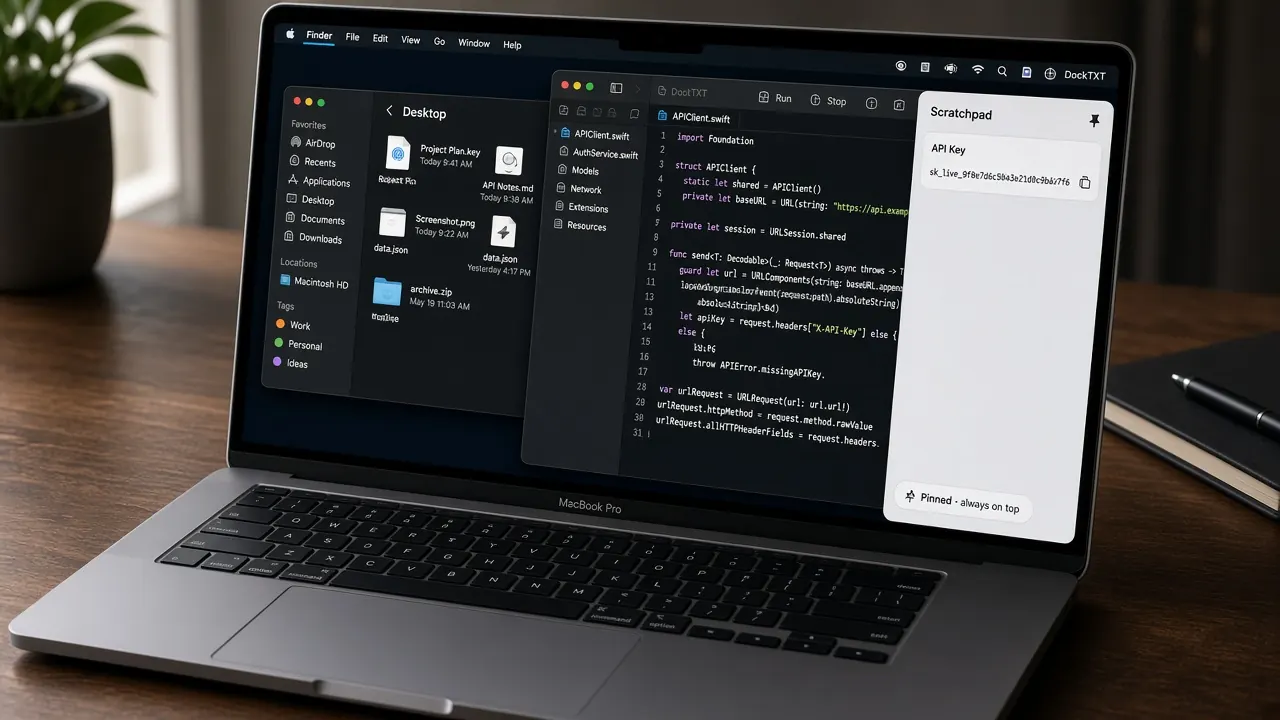
Menu bar text scratchpad
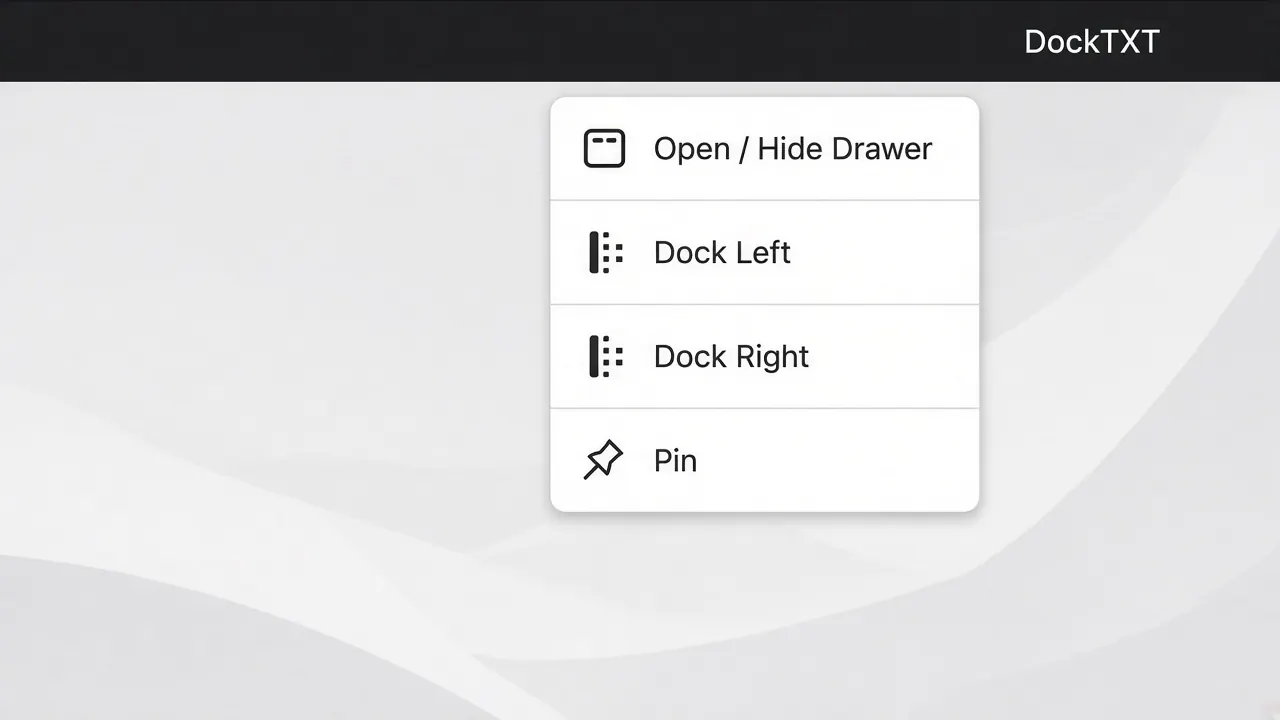
Toggle the drawer from the menu bar extra or with ⌘⇧P. Hide collapses to a thin edge tab; your text stays put.
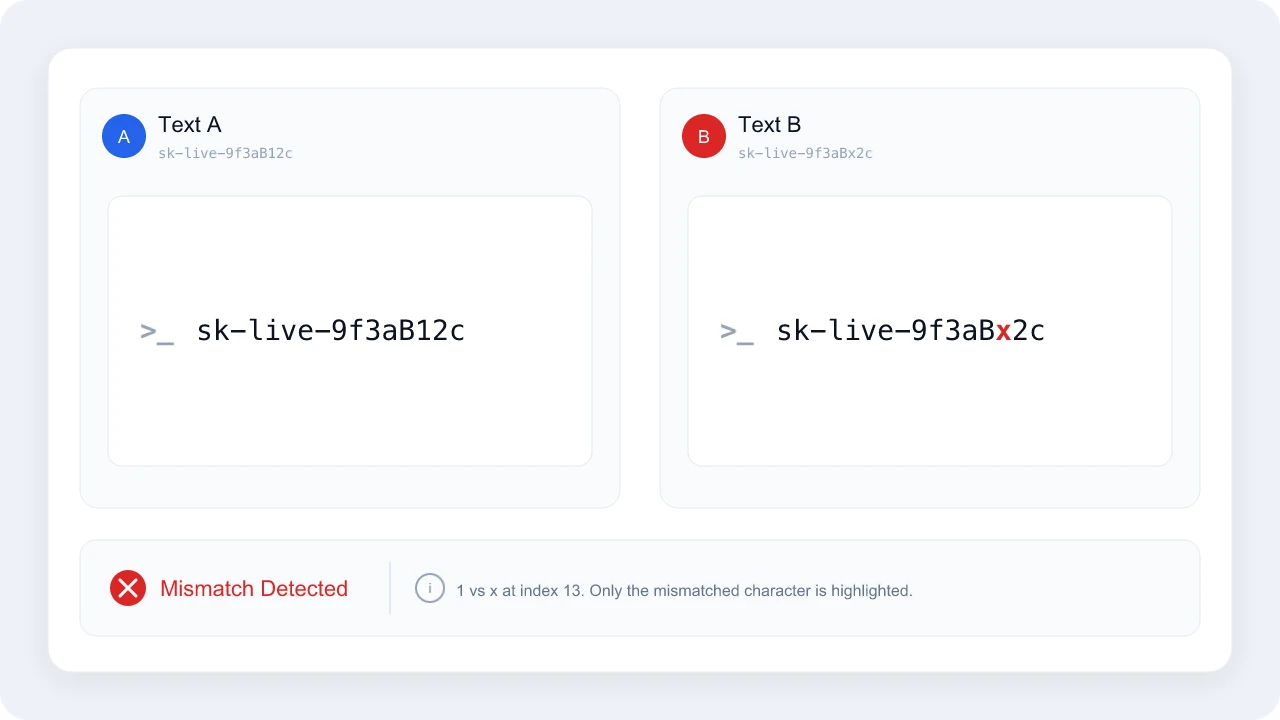
Exact character-level diff
Compare Text A and Text B character by character. Case-sensitive mismatches highlight in red — built for API keys, tokens, and near-identical strings.
Near-zero memory, fully offline
Native SwiftUI + AppKit. No analytics, no sync account, no network. A free Mac floating notes utility with minimal battery drain.

Get DockTXT free on the Mac App Store
See how it works
Read the 2-minute guide
100% free. No account. No subscription. No risk to try. Available on Mac now.
How the always-on-top notepad works
Four steps. About two minutes.
01
Get it free
Download DockTXT on the Mac App Store. No account inside the app. No subscription.
02
Pin the scratchpad
Launch and a drawer slides in. Dock left or right. Pin it so the always on top notepad follows you across Spaces.
03
Toggle from the menu bar
Hide to a peek tab, then bring it back with ⌘⇧P or the menu bar extra — without leaving the front window.
04
Diff when it matters
Paste two strings. Read Exact Match or Mismatch Detected. Built for keys, tokens, and copy that has to be identical.
Read the 2-minute guide
FAQ
What is DockTXT?
DockTXT is a 100% free floating notepad for Mac. It is an always-on-top, edge-pinned drawer and menu bar text scratchpad with a native character-level diff. It is built with SwiftUI and AppKit so it stays light and offline.
Does DockTXT stay on top of other windows?
Yes. The drawer is an always-on-top notepad for Mac. It floats above full-screen apps and can join every desktop Space when pinned. Unpin it if you only want it on the active Space.
Is DockTXT free?
Yes. DockTXT is 100% free on the Mac App Store — no subscription, no trial, and no in-app purchases. There is no risk to try it.
Does DockTXT work without iCloud?
Yes. DockTXT never uses iCloud, iCloud Drive, or any cloud account. Text is saved locally on your Mac with standard app storage. You can use it fully offline.
Is DockTXT a menu bar app or a window?
Both. DockTXT shows a Dock icon and a standard app menu, plus a menu bar extra. Open or hide the floating drawer from the menu bar, the app menu, or ⌘⇧P.
How do I toggle the floating notepad from the menu bar?
Click the DockTXT item in the menu bar and choose Open / Hide Drawer, or press ⌘⇧P. Hide collapses the drawer to a thin edge tab without quitting.
Get free Mac floating notes today
Download the Mac build free. Other devices are coming later. There is no paid tier and no in-app purchase for the floating notepad, scratchpad, or diff.
Get DockTXT free on the Mac App Store
See how it works
Read the 2-minute guide
100% free. No account. No subscription. No risk to try. Available on Mac now.