Features
Always-on-top Mac scratchpad, menu bar toggle, and exact diff
Every DockTXT feature ships in the free Mac build. This is the full floating notepad — not a teaser list behind a paywall.
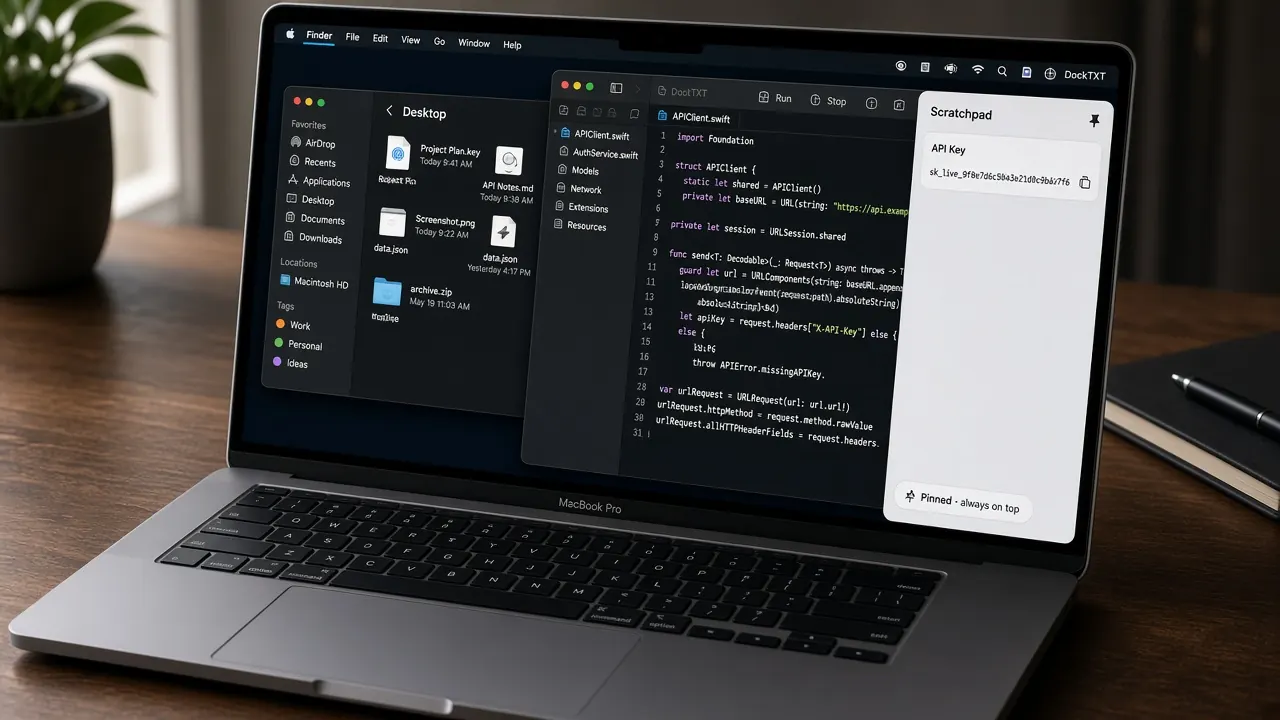
The floating notepad stays on the edge — you never hunt for another window.
Always-on-top floating notepad
DockTXT lives above full-screen apps and across desktop Spaces. Pin it to the left or right edge and it stays in reach while you work.
Menu bar text scratchpad
Toggle the drawer from the menu bar extra or with ⌘⇧P. Hide collapses to a thin edge tab; your text stays put.
Auto-saving Mac scratchpad
Scratchpad and diff panes persist locally as you type. Work survives crashes and reboots — no Save dialog, no iCloud account.
Exact character-level diff
Compare Text A and Text B character by character. Case-sensitive mismatches highlight in red — built for API keys, tokens, and near-identical strings.
Strip & JSON tools
One click strips trailing spaces and leftover line breaks. Another pretty-prints JSON with two-space indent.
Offline and private
Native SwiftUI + AppKit. No analytics, no sync account, no network. Near-zero memory and minimal battery drain.
App chrome you will actually use
DockTXT is a menu bar text scratchpad and a floating drawer, not a hidden agent. Here is the real interface.
- Menu bar extra — Title “DockTXT” with a plaintext icon. Menu: Open / Hide Drawer (⌘⇧P), Dock Left, Dock Right, Center Vertically, Pin / Unpin, DockTXT Support, Quit DockTXT.
- Drawer header — Drag grip, Scratchpad / Diff / Our Apps tabs, Left, Right, Pin or Unpin, Hide, and a red Quit control. Narrow widths collapse actions into an overflow menu.
- Scratchpad tab — Undo, Redo, Copy, Paste, Cut, Clear, Strip (whitespace), JSON (pretty-print). Status bar shows character count out of 25,000.
- Diff tab — Text A (Base) and Text B (Compare) editors plus a result panel: Exact Match (green) or Mismatch Detected (red) with character counts.
- Peek tab — When hidden, a 22×110 pt edge handle stays on screen: open chevron, drag grip, and a small quit control.
Limits that stay honest
Plain text only, up to 25,000 characters per pane. Toggle shortcut is ⌘⇧P. Drawer width is 380–800 points. No iCloud, no accounts, no telemetry.
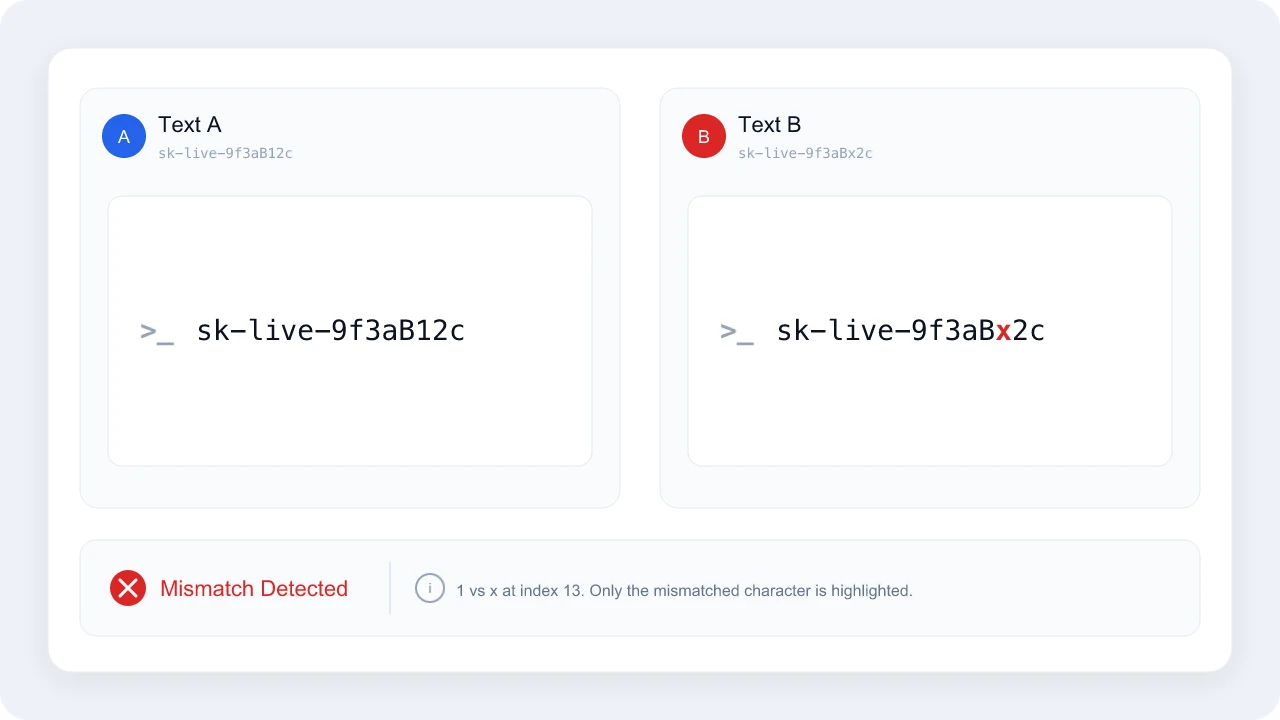
Diff is case-sensitive and character-exact — built for keys and tokens, not prose review.
Download the free Mac floating notes app
Get DockTXT free on the Mac App Store
See how it works
Read the 2-minute guide
100% free. No account. No subscription. No risk to try. Available on Mac now.
More DockTXT pages: features, how it works, user guide, FAQ, AI guide, support, and download. Portfolio: Our Apps. Questions? Contact page.